Three Steps to Open Your First Perps Position


Key Takeaways
Want to aim for your first 100x on OneKey? Learn how to get started in just three simple steps.
What Are Perps?
Perps = Perpetual Futures
- Similar to futures, but without an expiration date
- You can go long (expecting price to rise) or go short (expecting price to fall)
- Use a small amount of margin to control a larger position (leverage)
Perps are suitable for users who want to:
- Amplify potential returns
- Profit from short positions during market downturns
How to Open Your First Perps Position?
1) Enable Perps and Deposit Funds
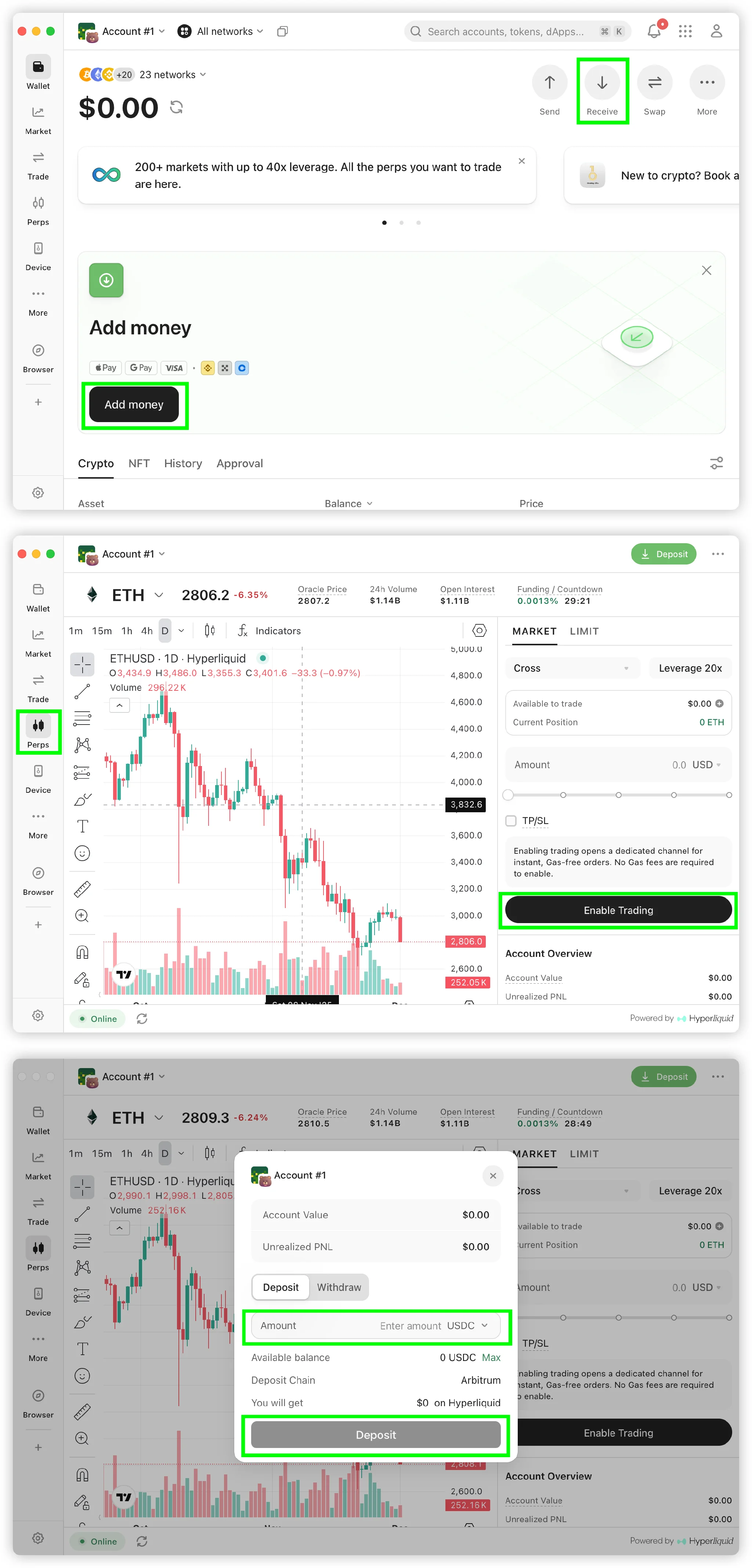
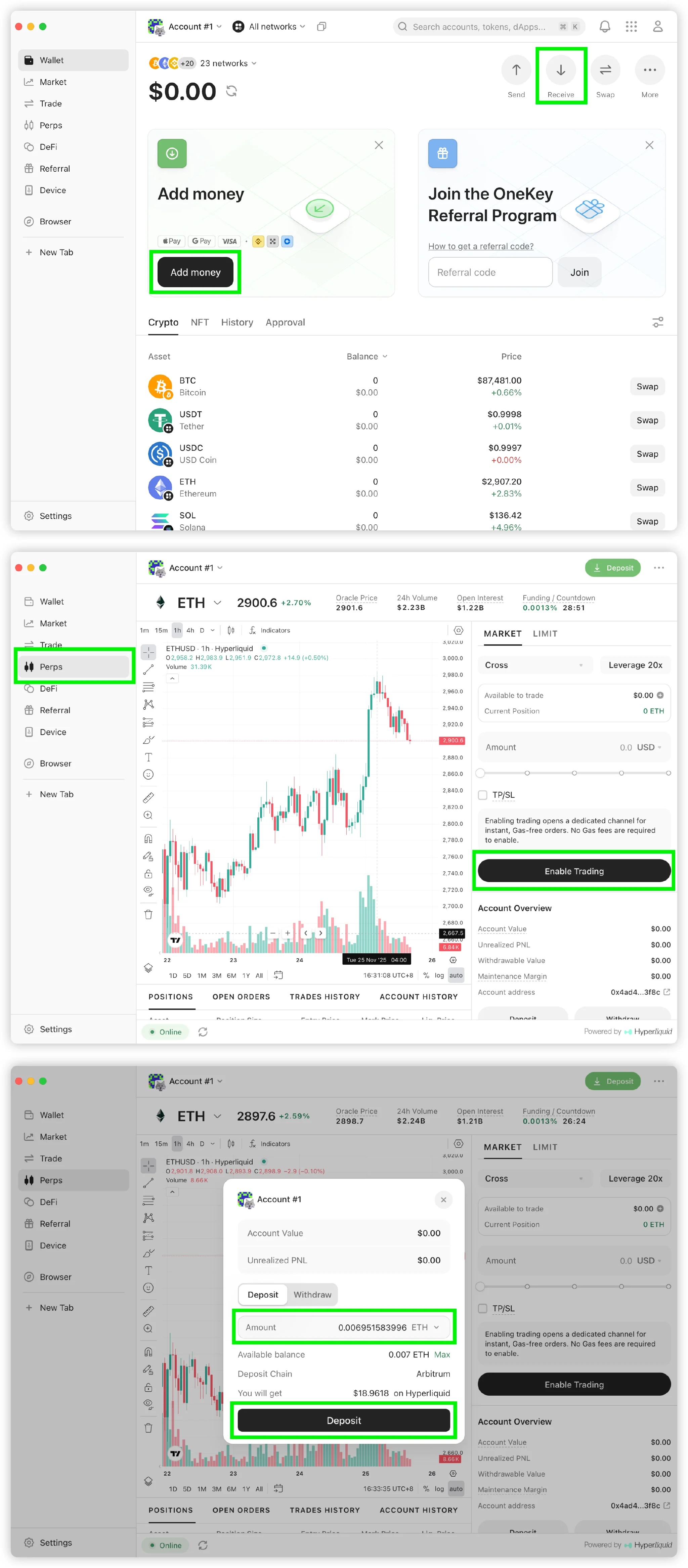
Open the OneKey App → Go to “Perps” → Enable trading → Select a deposit token and complete the “Deposit”.
2) Choose a Trading Pair & Direction
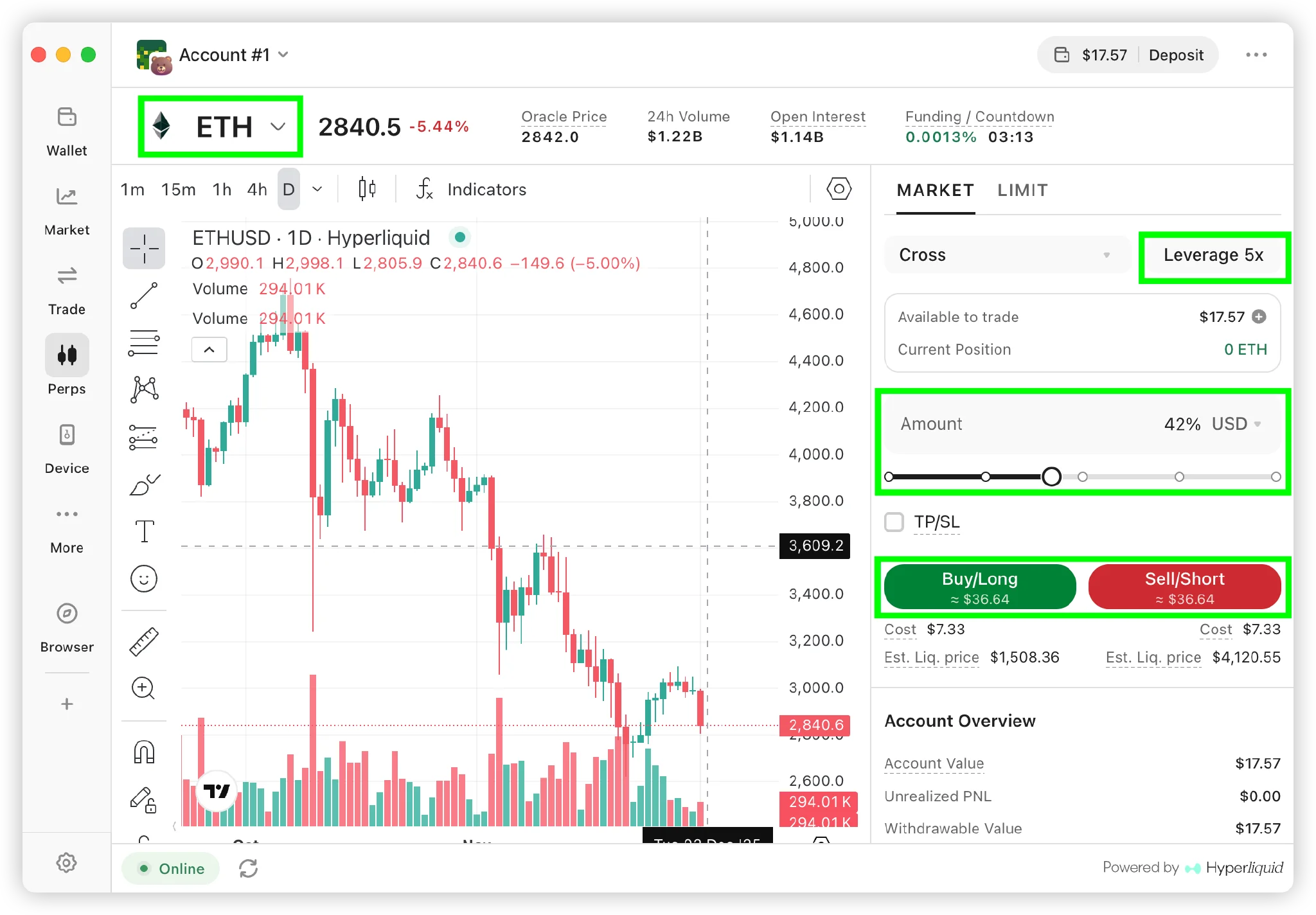
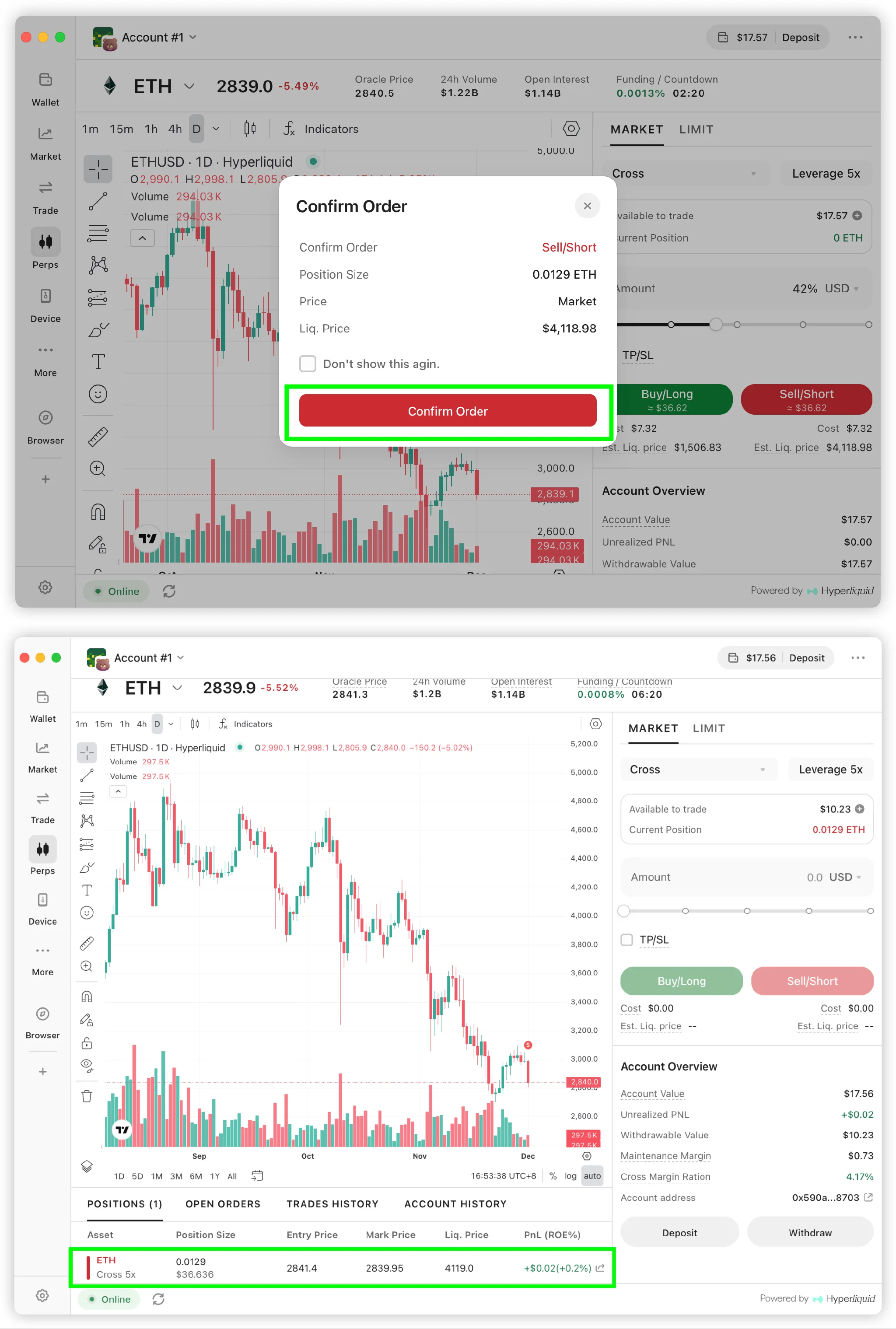
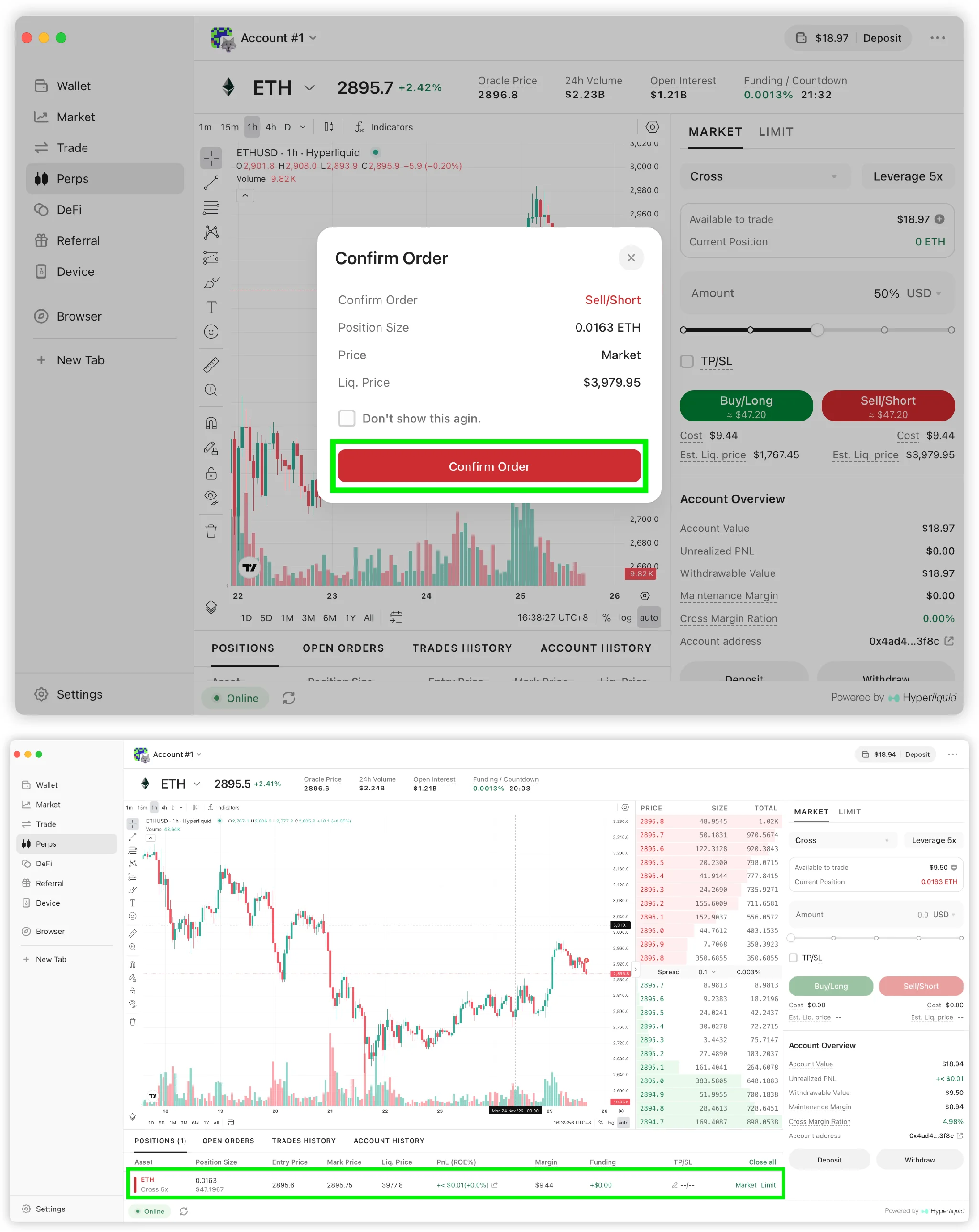
Select a trading pair (e.g., ETH), set your leverage and position size, review the liquidation price, then choose to go long (bullish) or go short (bearish).
 8b776501a8f0b517f3d41e68227d9ad2.png
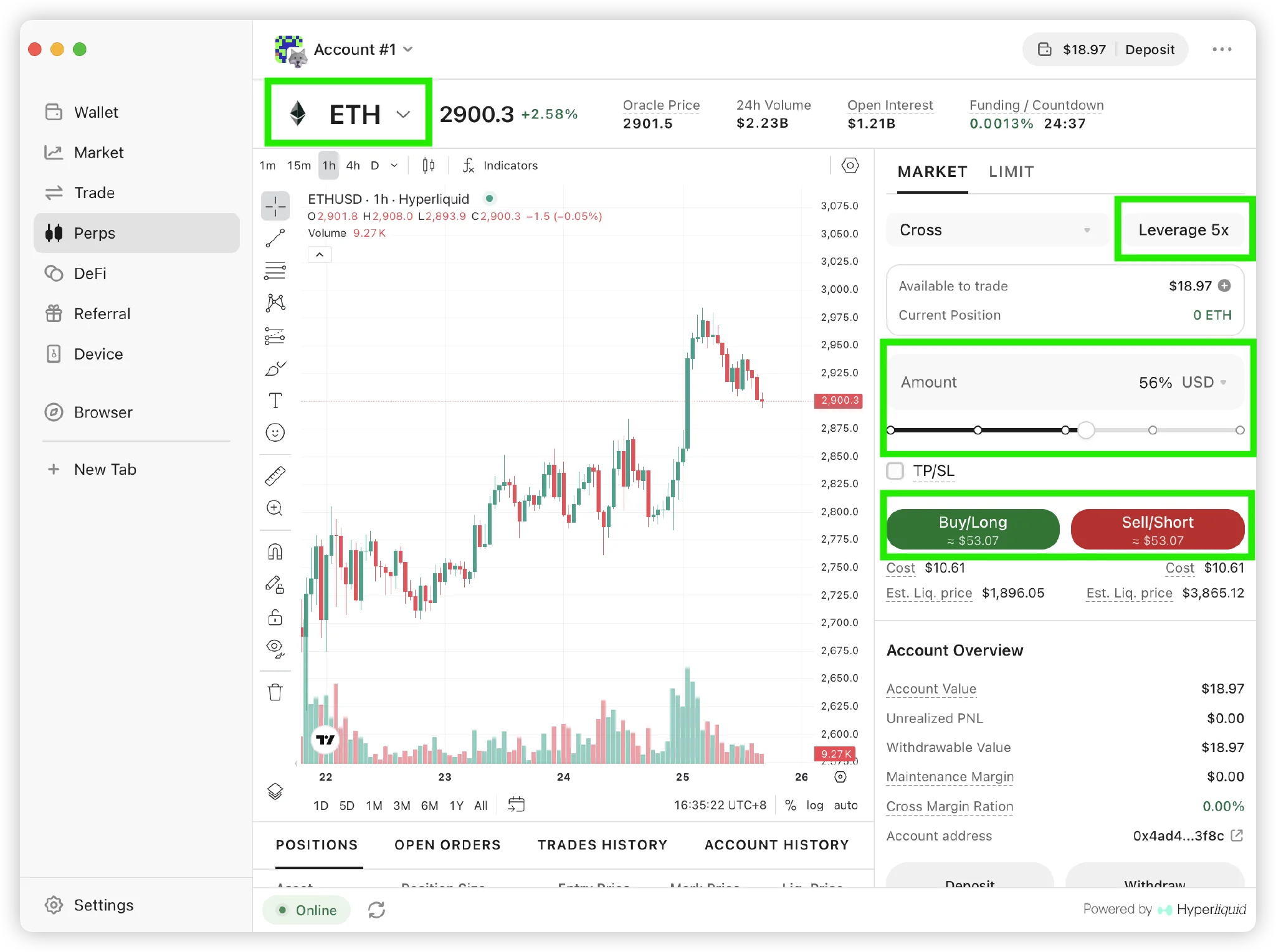
3) Enter Margin & Place the Order
Confirm the order to open your position. You can view it anytime in your “Positions” section.
Why Trade Perps on OneKey?
Get real-time notifications for opening, closing, and liquidated positions, along with advanced features such as market/limit orders and isolated/cross margin modes. With deep integration to the Hyperliquid engine, market data and order updates stay fast and stable for efficient trading anytime.
Invite your friends to earn rebates and enjoy fee discounts. Learn more
Risk Warning
Perpetual futures carry significant risk:
- Leverage can amplify profits and losses
- When the liquidation price is reached, your margin may be completely lost
- Always manage position size carefully
- Only trade with funds you can afford to lose
Want to learn more advanced Perps strategies? 👉 Click here